OSX Mavericks Wireshark x11

Wireshark OSX Maverick

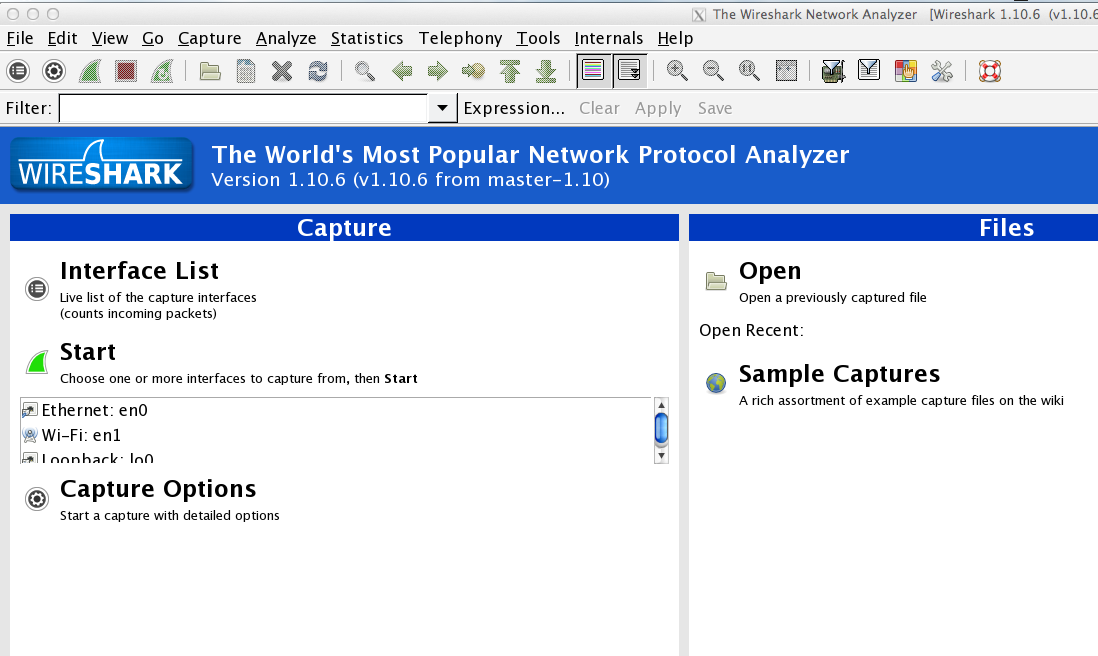
Tried to use Wireshark, the one and only network protocol analizing tool on OSX Maverick?

It needs to have X11, which is not part of the basic operating system.

To download X11 / XQuartz:
Download it

Reboot after install

Start X11 Quartz:
Quartz in the program->Utilities Folder

Open Wireshark

Have a break (it will take quite some time the first time you start it)

Happy analyzing

DNSpython on debian installation

To use dns lookups in python scripts on your raspberry or any other debian / ubuntu based system, dnspython is the perfect point to start.

Howto:

sudo apt-get install python-pip
pip install dnspython

Then try the examples on : http://www.dnspython.org/examples.html

Example Python script:

#!/usr/local/bin/python
import dns.resolver
domain = dns.name.from_text(dns_to_look)
nameserver = '8.8.8.8' #this is google nameserver, use your fav. DNS server
query = dns.message.make_query("google.com", dns.rdatatype.ANY)
response = dns.query.udp(query, nameserver, timeout = 2)
print response

Will result in:

python dns_test.py
id 41318
opcode QUERY
rcode NOERROR
flags QR RD RA
;QUESTION
google.com. IN ANY
;ANSWER
google.com. 182 IN A 173.194.113.169
google.com. 182 IN A 173.194.113.165
google.com. 182 IN A 173.194.113.166
google.com. 182 IN A 173.194.113.174
google.com. 182 IN A 173.194.113.160
google.com. 182 IN A 173.194.113.162
google.com. 182 IN A 173.194.113.168
google.com. 182 IN A 173.194.113.163
google.com. 182 IN A 173.194.113.161
google.com. 182 IN A 173.194.113.167
google.com. 182 IN A 173.194.113.164
google.com. 13460 IN NS ns1.google.com.
google.com. 13460 IN NS ns3.google.com.
google.com. 13460 IN NS ns4.google.com.
google.com. 13460 IN NS ns2.google.com.
google.com. 100 IN AAAA 2a00:1450:4005:808::1007
google.com. 50 IN SOA ns1.google.com. dns-admin.google.com. 1549778 7200 1800 1209600 300
;AUTHORITY
;ADDITIONAL

You can now use the script in your own scripts to search for DNS results.

To find some examples for ussage of DNS python see the example page of the project: http://www.dnspython.org/examples.html.
I am using the script to check the DNS settings for domains found with other tools that I am running. You could also store the DNS entries for your requests and build your database, that would result in a „low cost passive DNS database“.

grep Kung Fu

Some nice grep tricks:

search for mail adresses within a given file:
grep -E -o "\b[a-zA-Z0-9.-._]+@[a-zA-Z0-9.-]+\.[a-zA-Z0-9.-]+\b"

Search for multiple words given in a file with one keyword each line:
cat inputfile.txt | grep -Ff file_with_keywords.txt > results.txt

Search multiple words given by command line:
cat inputfile.txt | grep -iE "(keywords1|keyword2|keyword2)" > results.txt

Raspberry Pi USV UPS

Raspberry Pi, the cheap computer for various stuff like a surveillance cam gets another cool toy: The PI USV from CW2.

While pis are used in more and more aspects, it gets critical to ensure power supply. A normal USV / UPS (unterbrechungsfreie Stromversorgung / uninterruptible power supply) is fine, but a spcial USV for the PI has some benefits:
– propper shutdown
– power supply monitoring to check the supply (batterie only, no batteries given, etc.)

The USV / UPS will be attached via the „normal“ micro USB

It will send signals like BATLOW, BATPOW, PIREADY via GPIO.
Even without using the GPIO ports, three LEDs are indicating the status of the USV.

Cw2. is based in Germany

Costs? 29,99 €.

or at Amazon:

PI USV can also be used as an Arduino USV and a Beaglebone USV (Arduino UPS / Beaglebone UPS)

Linux command hack: dinge in Dateien finden, sortieren, zählen

Eine Liste von Dateien durchsuchen, allen Tech klein umwandeln und dann einen Teilbegriff suchen, es sortieren, doppelte zusammenfassen und zählen mit dem folgenden Kommando:


cat dateiname* | tr '[:upper:]' '[:lower:]' | grep suchbegiff | sort | uniq -c | sort -rn

Weitere Unix Dinge kann man schön hier finden:

Bzw. auch sehr empfehlenswert:

Owncloud unable to open database file

Probleme bei Owncloud (ggf. bei update auf version 6:


[14] SQLSTATE[HY000] [14] unable to open database file

Das Problem kann falschen Rechten geschuldet sein.
Webserver lese und schreibrechte geben und max. auf 770 stellen (sonst kann jeder die Datei zugreifen, was sicher nicht im Sinne des Erfinders ist)


chown www -R /ownloud/data/
chmod 770 owncloud.db

Apple OSX Maveric QNAP TimeMachine Probleme

Wer mit OSX 10.9 Probleme hat ein TimeMachine backup zu erstellen und den folgenden Fehler bekommt:

com.apple.prefs.backup.remoteservice[602]: Error while confirming network destination: Error Domain=NSOSStatusErrorDomain Code=64 "Der Vorgang konnte nicht abgeschlossen werden. (OSStatus-Fehler 64.)" (kOTSerialFramingErr / EHOSTDOWN: / Host is down)

bzw


NetAuthSysAgent[1071]: ERROR: AFP_GetServerInfo - connect failed 64

Kann mal versuchen den AFP Server manuell als TimeMachine Destination zu nutzen mit dem folgenden Kommando:


sudo tmutil setdestination afp://$QNAPTIMEMACHINEUSER:$QNAPTIMEMACHINEPASSWORD@$QNAPIPADRESS/TMBackup

Raspberry cam pi cam howto

Nach meinem letzten Artikel wurde ich darum gebeten, das ganze etwas ausführlicher zu beschreiben.

Also erst nochmal, was man dazu braucht:

Raspberry Pi:

Raspberry Pi Kamera:

Speicherkarte:

Gehäuse für die Kamera:

Netzteil:

Je nach Verfügbarkeit von LAN noch einen WLAN Stick

1. Raspbian installieren:
http://learn.adafruit.com/adafruit-raspberry-pi-lesson-1-preparing-and-sd-card-for-your-raspberry-pi

2. Auf den RaspberryPi per SSH verbinden (ggf. eigenen SSH Key hinzufügen zu den authorized_keys)

3. Software auf aktuellen Stand bringen
sudo apt-get update + sudo apt-get upgrade

4. Motion installieren

Das offizielle Motion Paket aus dem Raspbian rep funktioniert derzeit leider noch nicht mit der Raspberry cam (siehe Fehler unten)
$ sudo apt-get install -y libjpeg62 libjpeg62-dev libavformat53 libavformat-dev libavcodec53 libavcodec-dev libavutil51 libavutil-dev libc6-dev zlib1g-dev libmysqlclient18 libmysqlclient-dev libpq5 libpq-dev
$ wget https://www.dropbox.com/s/xdfcxm5hu71s97d/motion-mmal.tar.gz
$ tar zxvf motion-mmal.tar.gz

Hinweis: die md5sum dieser Datei:
md5sum /usr/bin/motion
d353da888a34611470dad08846c31089 /usr/bin/motion

5. Motion testen
$ ./motion -n -c motion-mmalcam.conf

6. Motion.conf anpassen
Hier kann man sich wieder an diese Anleitung halten: klick

Wobei ich noch einige Anpassungen für die Bilder gemacht habe:

7. Bilder hochladen
7.1. Windows shared folder:
sudo vi /etc/fstab
//SERVERNAME/FOLDERNAME /mnt/camshare cifs username=USERNAME,password=PASSWORD,iocharset=utf8,file_mode=0777,dir_mode=0777 0 0

#reboot rasperryPi
#cd /mnt/camshare

7.2 FTP upload

#sudo apt-get install wput
in motion-mmalcam.conf:
On_picture_save wput –B ftp://user.name:password@ispserver %f

8. Growl benachrichtigung
apt-get install python-pip
pip install gntp
weiteres + Script: https://medium.com/p/2d5a2d61da3d
in motion-mmalcam.conf:
On_motion_detected python test.py

9. motion binary und config an den richtigen Ort kopieren:
#cp motion-mmalcam.conf /etc/motion.conf
cp motion /usr/bin/motion

10. fix autostart:
siehe http://www.codeproject.com/Articles/665518/Raspberry-Pi-as-low-cost-HD-surveillance-camera

Bei Motion probleme die Kamera zu nutzen?

[1] Failed to open video device /dev/video0: No such file or directory

lsusb zeigt keine Kamera an?

lsusb

Erstmal versuchen ein Testbild zu machen:

raspistill -v -o test.jpg

Ggf. Kamera nicht aktiviert:
mmal: Camera is not enabled in this build. Try running „sudo raspi-config“ and ensure that „camera“ has been enabled

Motion über apt erkennt die Raspberry cam nicht:

Das modifizierte binary muss man noch an die richtige Stelle kopieren:

copy the motion-mmalcam.conf file to /etc/motion.conf,
copy the motion file to /usr/bin

and then you can start motion from /etc/rc.local

Weitere Artikel:

http://beforeitsnews.com/survival/2013/09/build-a-diy-motion-detecting-raspberry-pi-security-camera-system-2489228.html
http://www.forum-raspberrypi.de/Thread-tutorial-bewegungserkennung-mit-dem-raspberry-camera-modul-und-motion
https://medium.com/p/2d5a2d61da3d