Raspberry Pi migration to raspberry pi 2

Der Raspberry Pi ist ein äußerst erfolgreiches Gerät und erfrut sich gerade im Heimbereich großer Beliebtheit. Bemängelt wurden bis dato immer die etwas zu geringe Leistungsfähigkeit der CPU und der zu geringe Arbeitsspeicher (RAM).
Mit dem Rasperry Pi 2 wird an einigen Stellen (deutlich) aufgerüstet:

A 900MHz quad-core ARM Cortex-A7 CPU
1GB RAM

Like the (Pi 1) Model B+, it also has:

4 USB ports
40 GPIO pins
Full HDMI port
Ethernet port
Combined 3.5mm audio jack and composite video
Camera interface (CSI)
Display interface (DSI)
Micro SD card slot
VideoCore IV 3D graphics core

Gerade CPU und RAM und 4 USB Ports dürften erfreuen.

Nun möchte man jedoch nicht alle Pis neu aufsetzen. Möchte man die vorhandene Infrastruktur migrieren müssen ein paar Dinge beachtet werden:

Vorbereitung

Um das vorhandene System zu migrieren muss es erst auf den aktuellsten Stand gebracht werden:

sudo -s
apt-get update
apt-get dist-upgrade
apt-get install rpi-update
rpi-update
halt

(Quelle)
Diese Befehle bringen das System auf aktuellen Stand und fahren das System runter.

Backup

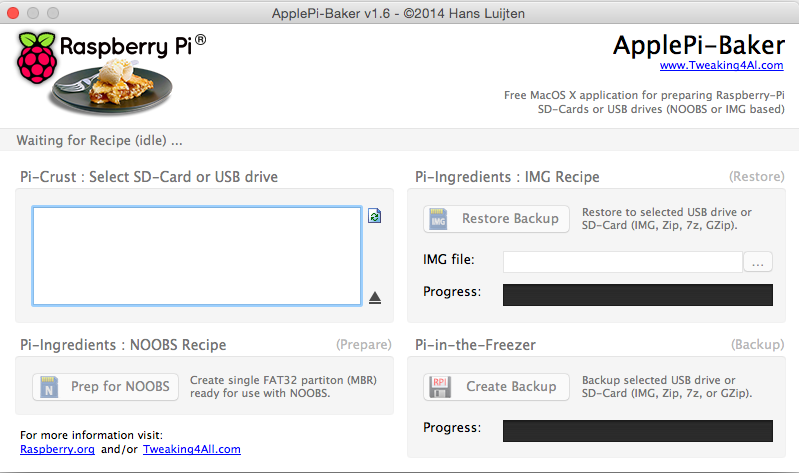
Bevor weitere Schritte durchgeführt werden auf jeden Fall ein Backup machen. Bei der Migration ist dieses Tool hilfreich: „Apple Pi Baker

Apple_Pi_baker

Damit kann zum einen Das Backup durchgeführt werden. Und ist auch danach noch sinnvoll.
Das Backup könnte pi_original.img heißen.

NOOBS

Für Nutzer, welche NOOBS genutzt haben um den Raspberry PI aufgesetzt haben sind folgende Anweisungen noch notwendig:

SD Card in PC / Mac mounten
download latest NOOBS Lite
Extract zip
Copy Everything extracted EXCEPT for `recovery.cmdline` to the root of your SD card

Source

SD Karte

Der Raspberry PI 2 unterstützt keine SD Karte mehr, es wird vielmehr auf Micro SD gesetzt, hier muss also eine neue Karte angeschafft werden.

Backup 2

Jetzt wird das Backup erstellt, welches dann auf die neue SD Karte überspielt wird (dieser Schritt kann übersprungen werden, wenn vorher schon eine Micro mit Adapter im Raspberry Pi 1 genutzt wurde)
Dieses Image nennt man pi_tomigrate.img

Dieses Backup spielt man nun mittels Apple Pi Baker auf die neue SD Karte (dauert insgesamt so ca. 40 minuten bei 16 GB)

Boot

Jetzt kann die Micro SD Karte in den Raspberry PI 2 eingesetzt und gebootet werden. Alle Daten werden erhalten und man kann direkt loslegen.

cat /proc/cpuinfo
processor	: 0
model name	: ARMv7 Processor rev 5 (v7l)
BogoMIPS	: 57.60
Features	: half thumb fastmult vfp edsp neon vfpv3 tls vfpv4 idiva idivt vfpd32 lpae evtstrm 
CPU implementer	: 0x41
CPU architecture: 7
CPU variant	: 0x0
CPU part	: 0xc07
CPU revision	: 5

processor	: 1
model name	: ARMv7 Processor rev 5 (v7l)
BogoMIPS	: 57.60
Features	: half thumb fastmult vfp edsp neon vfpv3 tls vfpv4 idiva idivt vfpd32 lpae evtstrm 
CPU implementer	: 0x41
CPU architecture: 7
CPU variant	: 0x0
CPU part	: 0xc07
CPU revision	: 5

processor	: 2
model name	: ARMv7 Processor rev 5 (v7l)
BogoMIPS	: 57.60
Features	: half thumb fastmult vfp edsp neon vfpv3 tls vfpv4 idiva idivt vfpd32 lpae evtstrm 
CPU implementer	: 0x41
CPU architecture: 7
CPU variant	: 0x0
CPU part	: 0xc07
CPU revision	: 5

processor	: 3
model name	: ARMv7 Processor rev 5 (v7l)
BogoMIPS	: 57.60
Features	: half thumb fastmult vfp edsp neon vfpv3 tls vfpv4 idiva idivt vfpd32 lpae evtstrm 
CPU implementer	: 0x41
CPU architecture: 7
CPU variant	: 0x0
CPU part	: 0xc07
CPU revision	: 5

Hardware	: BCM2709
Revision	: a01041
Serial		: REDUCTED

Meminfo:

vcat /proc/meminfo 
MemTotal:         949472 kB
MemFree:          476396 kB
MemAvailable:     860016 kB
Buffers:           90108 kB
Cached:           195736 kB
SwapCached:            0 kB
Active:           228896 kB
Inactive:          97048 kB
Active(anon):      40120 kB
Inactive(anon):      244 kB
Active(file):     188776 kB
Inactive(file):    96804 kB
Unevictable:           0 kB
Mlocked:               0 kB
SwapTotal:        102396 kB
SwapFree:         102396 kB
Dirty:                 0 kB
Writeback:             0 kB
AnonPages:         40144 kB
Mapped:            24088 kB
Shmem:               268 kB
Slab:             135256 kB
SReclaimable:     128760 kB
SUnreclaim:         6496 kB
KernelStack:         768 kB
PageTables:          852 kB
NFS_Unstable:          0 kB
Bounce:                0 kB
WritebackTmp:          0 kB
CommitLimit:      577132 kB
Committed_AS:      95684 kB
VmallocTotal:    1105920 kB
VmallocUsed:        3928 kB
VmallocChunk:     873148 kB

How to do housekeeping with a lot of text files

If you save a lot of textfiles, e.g. you store historical versions of webpages, you do not want to store empty files or duplicate files.

Housekeeping can be done that way:
1. find empty files

find $PATH -type f -empty

if you want to delete them:

find $PATH -type d -empty -delete

2. find duplicate files

fdupes -r $PATH

In order to delete the duplicate files:

fdupes -rdN $PATH

r - recursive
d - preserver first file, delete other dupes
N - run silently (no prompt)

(from: http://askubuntu.com/questions/177346/how-to-use-fdupes)

That will result in a reduced number of files and in a reduced number of duplicate content.

FHEM HMLAN1 help me

While looking at FHEM logs, that appeared:

2014.12.11 22:00:16 3: HMLAN1: Unknown code A0F51BB102BBB1E 0000000AE0BB0E000F::-85:HMLAN1, help me!

The device ID is:
A0F51BB102BBB1E0000000AE0BB0E000F

Multiple times.

After googling for a while a potential solution is to create a vccu:

define vccu CUL_HM <$hmId> 
attr vccu model CCU-FHEM 

Where <$hmId> is your HM ID of your Lan interface or similar.

Or it might be a device from a house nearby, and you want to ignore that device:

define IGNORE_ME CUL_HM <$hmId>
attr IGNORE_ME ignore 1

That should help

homematic lan konfigurations-adapter probleme

Probleme bei der Installation eines Homematic LAAN konfigurations Adapter?

Als ich das versuchte habe ich die Software installiert und dann das Programm:
HomeMatic Lan-Interface Configurator“ gestartet.

Dort hatte ich jedoch nur ein leeres GUI.
Auch refresh hat nichts geholfen. In der Übersicht der Fritz-box habe ich jedoch gesehen, dass der Adapter eine IP Adresse bezogen hat.

Lösung des Problems: mein Windows System hat mehrer Netzwerk-Interfaces. Das Programm scheint damit Probleme zu haben.
Abhilfe schafft das Deaktivieren aller Interfaces bis auf jenes Interface, dass die Verbindung zum LAN Adapter bzw dem Switch herstellt.

Schon funktioniert es.

FHEM with HomeMatic CCU2

If you mind to connect a Homematic CCU with a FHEM Server (e.g. running in a Raspberry Pi) you will have to do the following steps:

Via SSH:

sudo apt-get install libxml-simple-perl
raspberrypi /opt/fhem/contrib/HMRPC $ sudo apt-get install librpc-xml-perl
raspberrypi /opt/fhem/contrib/HMRPC $ cp *.pm /opt/fhem/FHEM/

On FHEM Web Interface:
Command Line:

shutdown restart

Problems

Here are some problems I ran into:

Unknown module HMRPC

Solution: move the modules to the right place.

raspberrypi /opt/fhem/contrib/HMRPC $ cp *.pm /opt/fhem/FHEM/

Invalid characters in name (not A-Za-z0-9.:_): homematic-ccu2

Solution:
Change name…

Can’t locate RPC/XML/Server.pm in @INC

If you receive that error:

Server started with 9 defined entities (version $Id: fhem.pl 7124 2014-12-05 07:10:20Z rudolfkoenig $, os linux, user fhem, pid 7683)
2014.12.06 13:49:58 1: reload: Error:Modul 00_HMRPC deactivated:
 Can't locate RPC/XML/Server.pm in @INC (@INC contains: /etc/perl /usr/local/lib/perl/5.14.2 /usr/local/share/perl/5.14.2 /usr/lib/perl5 /usr/share/perl5 /usr/lib/perl/5.14 /usr/share/perl/5.14 /usr/local/lib/site_perl . ./FHEM) at ./FHEM/00_HMRPC.pm line 24.
BEGIN failed--compilation aborted at ./FHEM/00_HMRPC.pm line 24.

2014.12.06 13:49:58 0: Can't locate RPC/XML/Server.pm in @INC (@INC contains: /etc/perl /usr/local/lib/perl/5.14.2 /usr/local/share/perl/5.14.2 /usr/lib/perl5 /usr/share/perl5 /usr/lib/perl/5.14 /usr/share/perl/5.14 /usr/local/lib/site_perl . ./FHEM) at ./FHEM/00_HMRPC.pm line 24.
BEGIN failed--compilation aborted at ./FHEM/00_HMRPC.pm line 24.

You may have not installed:

raspberrypi /opt/fhem/contrib/HMRPC $ sudo apt-get install librpc-xml-perl

Travel Verona Italy

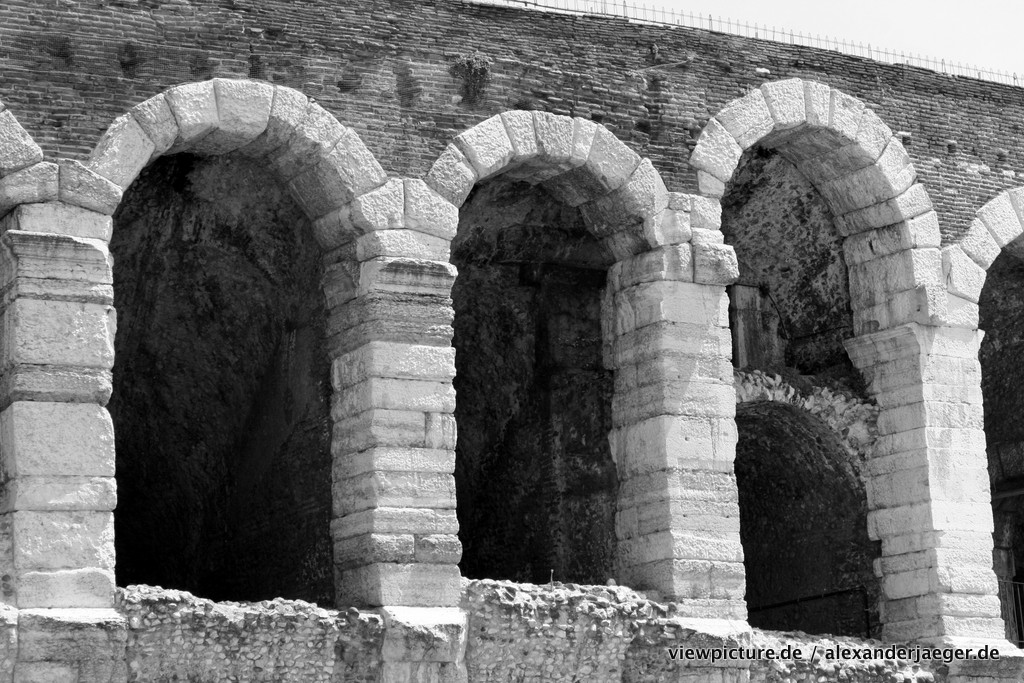
Arena of Verona

Arena of Verona

Verona (around 260 000 inhabitants), city of Romeo and Julia, with one of the largest romisch arenas in Italy and is famous for it’s operas during the year. The UNESCO awarded Verona with World Heritage Site status for its urban structure and architecture.

Mask of an opera

Mask of an opera

The major walking area is packed with the big brands like Hermes, Dolce & Gabana and Mont Blanc, but there are also some really nice shops and it is worth to keep your head up and have a look on the beautiful houses and not only the shops on the usual view axis.

We have not spent the money for the arena, just walked around but you could also pay a small fee for going upstairs to a bell tower of a church nearby.

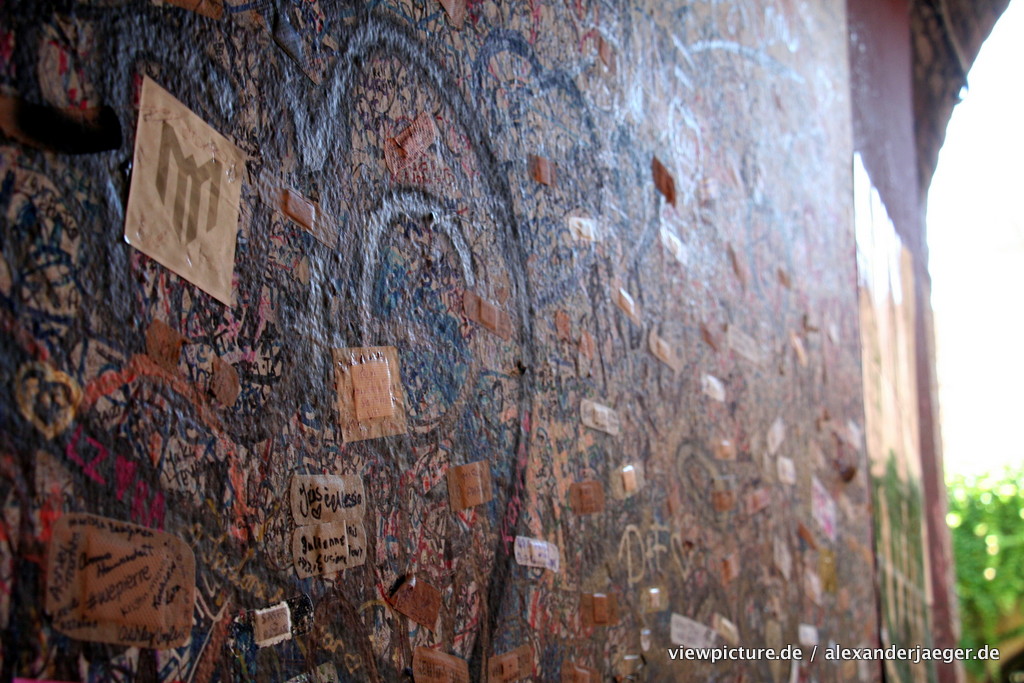
If you plan to visit Verona with your love, make sure you have an Edding, the entry area of Julia’s balcony is full with couple messages and hearts, very romantic. It is also worth to make one or two shots with your partner.

julia_balcony_verona

julia_romeo_verona_love

After arena and Julia’s balcony there are the other touristic spots like duomo, the castle etc which I will not mention, there are better blogs about that.

I would recommend to go there for half a day, preferable before lunch, park your car in one of the parking houses.

Things I planned:

– Visit the balcony of Julia

Things I haven’t done:

    Visit the arena
    Spend money for crappy souvenirs
    Visited a opera

Things I would do within the next trip:

    Bring an eddying with me

Things i learned:

    Keep your head down when visiting Julias balcony unless you want to be on hundreds of pictures.
    Gelato (Ice cream) can be very expensive in Verona (we saw >2 €) but there will be a cheaper one nearby for sure
    It is very easy to find out who is a german tourist (good for find someone for taking a picture)

Good spots:

    Julias Balcony
    Arena of Verona
    Shopping Area
verona guilietta e romeo

verona guilietta e romeo

Romeo and Julia

Romeo and Julia

[osm_map lat=“45.442″ lon=“10.998″ zoom=“15″ width=“600″ height=“450″ marker=“45.44199,10.99848″]

raspberry pi libgcc1 problem

Havin problems with your PI to update:


sudo apt-get install libgcc1
Paketlisten werden gelesen... Fertig
Abhängigkeitsbaum wird aufgebaut.
Statusinformationen werden eingelesen.... Fertig
Die folgenden NEUEN Pakete werden installiert:
libgcc1
0 aktualisiert, 1 neu installiert, 0 zu entfernen und 0 nicht aktualisiert.
2 nicht vollständig installiert oder entfernt.
Es müssen noch 0 B von 54,2 kB an Archiven heruntergeladen werden.
Nach dieser Operation werden 210 kB Plattenplatz zusätzlich benutzt.
E: Debconf-Version konnte nicht ermittelt werden. Ist debconf installiert?
debconf: apt-extracttemplates schlug fehl: Datei oder Verzeichnis nicht gefunden
dpkg: Vor-Abhängigkeitsproblem betreffend .../libgcc1_1%3a4.8.2-21~rpi3rpi1_armhf.deb, welches libgcc1:armhf enthält:
libgcc1 hängt (vorher) von multiarch-support ab
multiarch-support ist entpackt, wurde aber nie konfiguriert.

dpkg: Fehler beim Bearbeiten von /var/cache/apt/archives/libgcc1_1%3a4.8.2-21~rpi3rpi1_armhf.deb (--unpack):
Vor-Abhängigkeitsproblem - libgcc1:armhf wird nicht installiert
Fehler traten auf beim Bearbeiten von:
/var/cache/apt/archives/libgcc1_1%3a4.8.2-21~rpi3rpi1_armhf.deb

(Sorry for german only)

ans other stuff is also not working:


sudo apt-get install --reinstall multiarch-support libgcc1 debconf
Paketlisten werden gelesen... Fertig
Abhängigkeitsbaum wird aufgebaut.
Statusinformationen werden eingelesen.... Fertig
Probieren Sie »apt-get -f install«, um dies zu korrigieren:
Die folgenden Pakete haben unerfüllte Abhängigkeiten:
debconf : Hängt ab von (vorher): perl-base (>= 5.6.1-4) soll aber nicht installiert werden
Empfiehlt: apt-utils (>= 0.5.1) soll aber nicht installiert werden
Empfiehlt: debconf-i18n soll aber nicht installiert werden
E: Unerfüllte Abhängigkeiten. Versuchen Sie »apt-get -f install« ohne Angabe eines Pakets (oder geben Sie eine Lösung an).

You might want to do the following:

goto:
http://archive.raspbian.org/raspbian/pool/main/e/eglibc/
Locate the latest multiarch file
wget it...
sudo dpkg -i --force-depends multiarch-support_2.13-38+rpi2+deb7u3_armhf.deb
sudo apt-get -f install
sudo apt-get update
sudo apt-get upgrade

Things I have googled for:


raspberry libgcc1 problem

raspberry debconf has never

sudo dpkg -i --force-depends multiarch-support_2.13-38+rpi2_armhf.deb
sudo apt-get -f install
sudo apt-get update

universal car mount with velcro

Today a „Hack“-Report:

I was using iPhone for quite a while, my last Phone was a iPhone4 for last three years. Part of my phone gear is a Navigon cell phone holder which is indeed the same like a Garmin cell phone holder.

As I moved to Samsung Galaxy S5 mini, I wanted to be more flexible, and to use my Phone also on my bike I bought:

SPITZEL – Samsung Galaxy S5 Halterung für das Fahrrad

They are made in Germany.

First impression: very solid!

So as the phone case is now equiped with velcro, I want to use it the same way in the car.

Buying 2 m of velcro is very cheap.

velcroNow use the old cell phone car mount and stick two parts of velcro on the car mount:
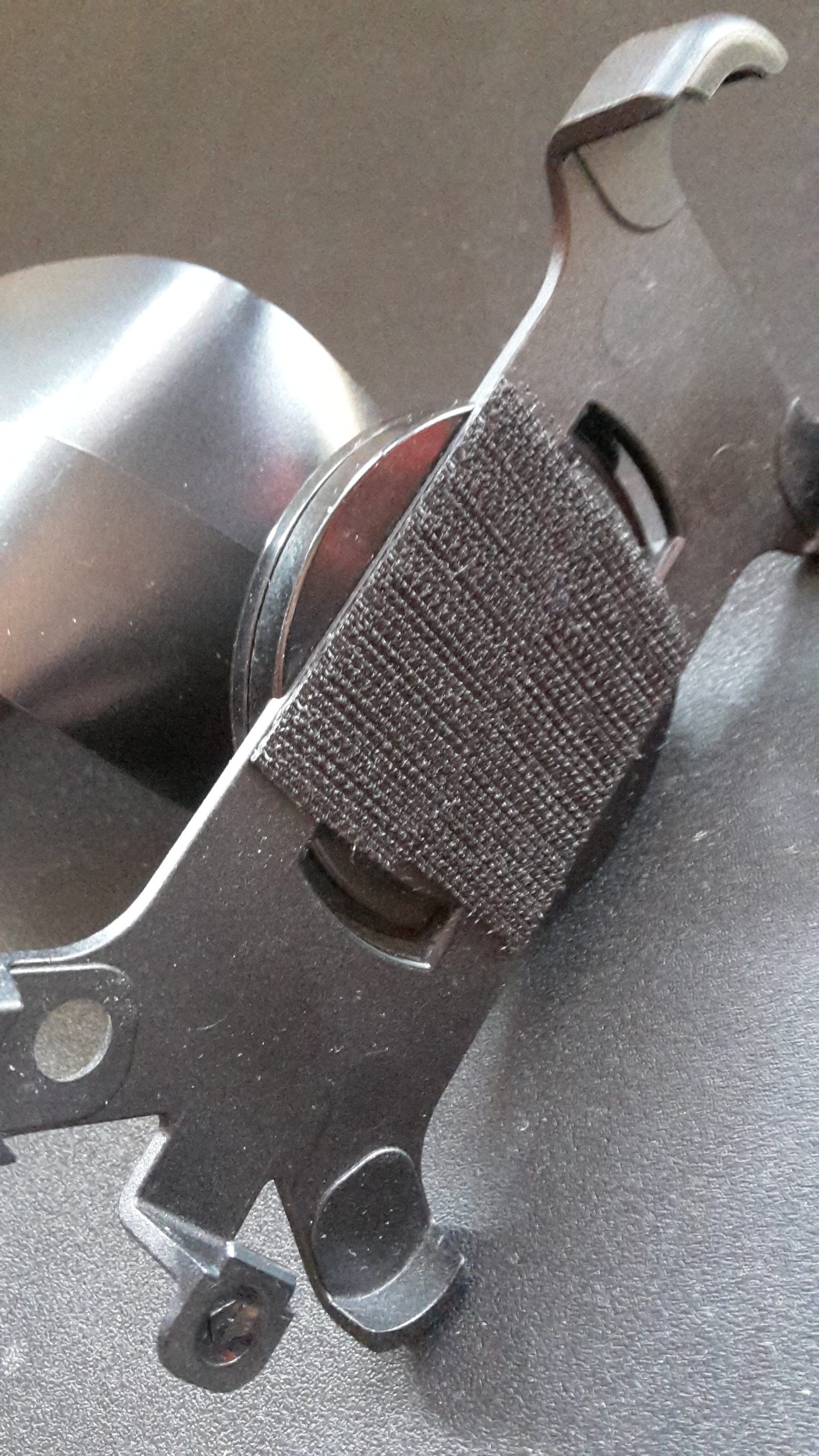
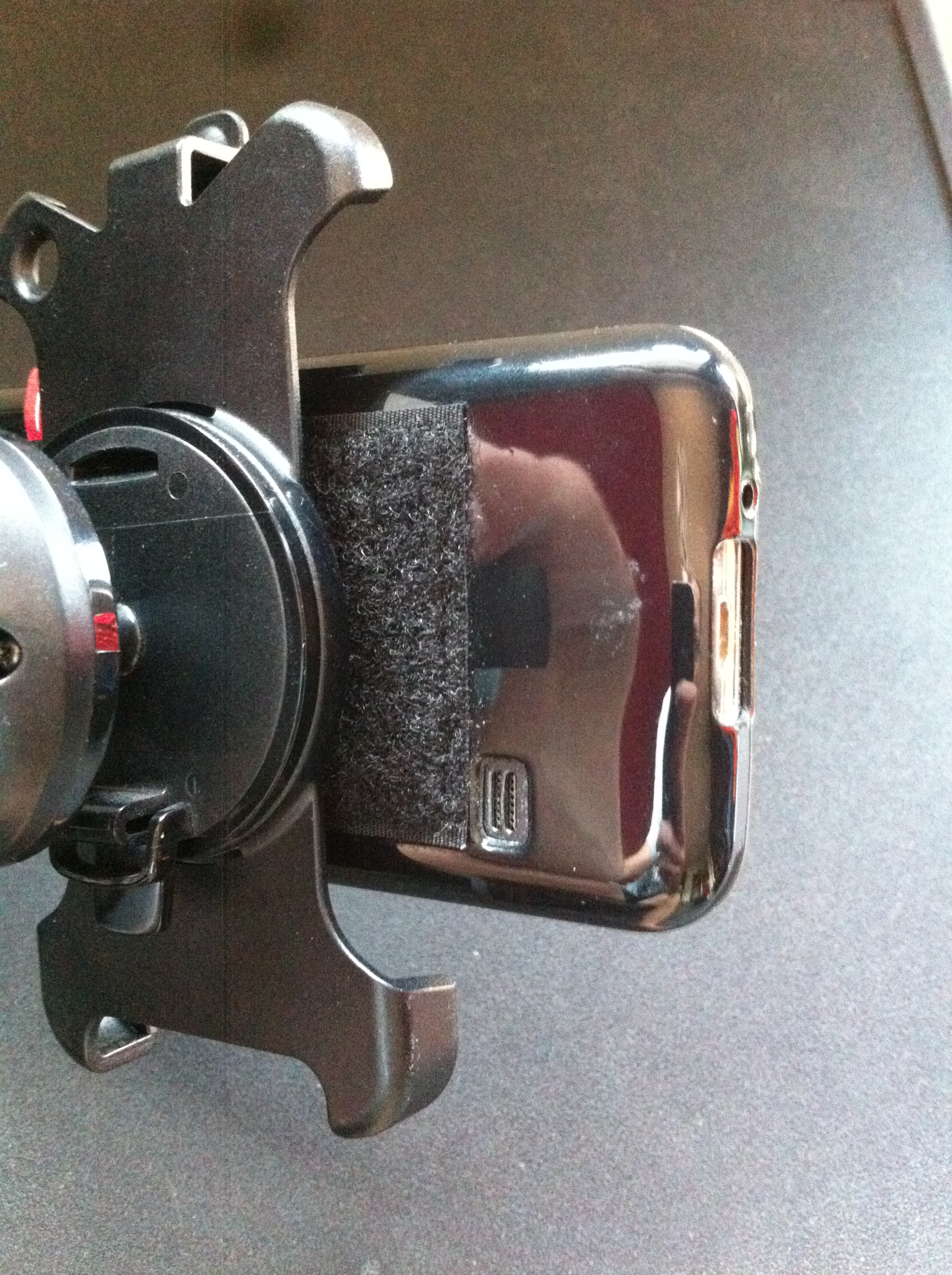
velcro stickedAnd now, let’s test it:

test

Very nice, very solid and super flexible, it can still be used with the old iPhone 4 and other cell phones with velcro.

Ergo: universal car mount with velcro for a fair amount of money.

In german: Universal Auto handy halterung mit Klett